

Why Your Website Is Slow and How Small Businesses Can Fix It
A slow website quietly costs you enquiries. Learn how to measure your speed in ten minutes and fix the most common causes, from oversized images to crowded hosting.
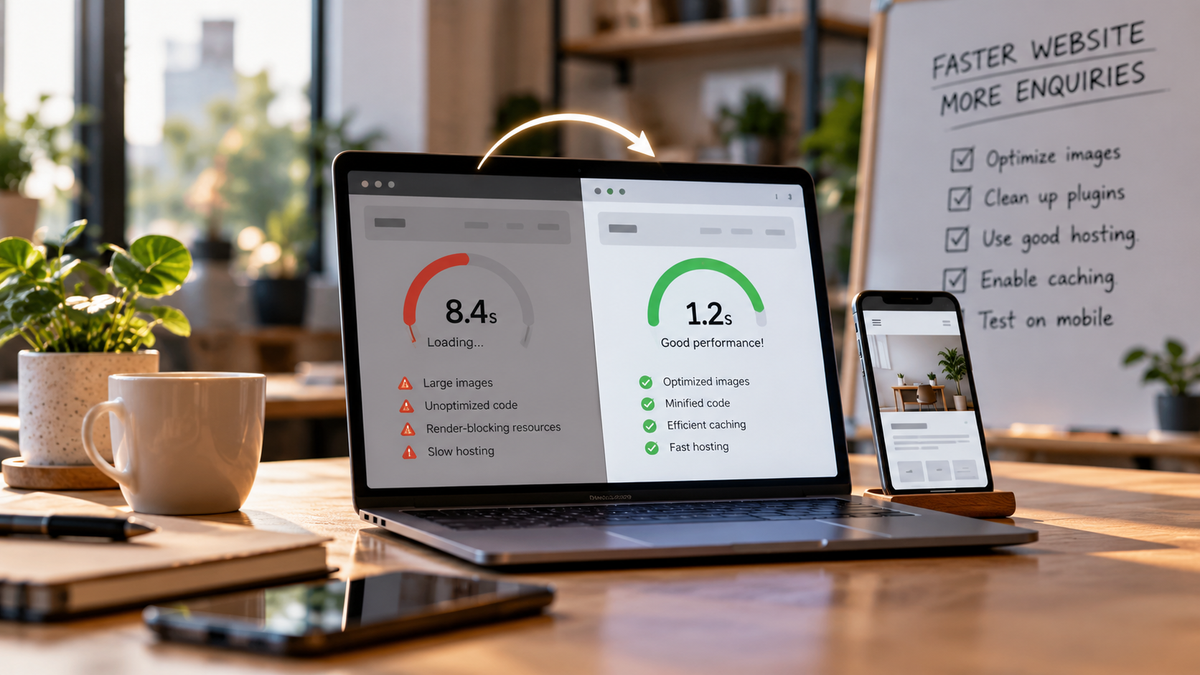
If your website takes more than a few seconds to load on a mobile phone, many visitors will leave before they see what you sell. For a small business, that is not a technical detail. It is lost enquiries, missed calls and abandoned orders that you never even hear about.
The good news is that most slow websites are slow for a handful of common, fixable reasons. You do not need to be a developer to find them. This guide covers what slow speed really costs you, how to measure it in ten minutes, and the fixes that usually make the biggest difference.
Why Website Speed Matters for a Small Business
Most people browse on their phones, often on mobile data, often while doing something else. A page that stays blank or jumps around as it loads feels untrustworthy, and people simply go back to the search results and try your competitor. Google also treats page experience as one of many ranking signals, so a slow site can make it harder to be found in the first place.
It affects enquiries, not just rankings
As a rough, illustrative estimate: if 100 people land on your site each week and a slow page makes 10 to 20 of them leave who would otherwise have enquired, that is a steady leak every single week. Your own analytics will show the real picture, but most owners recognise the pattern once they look at bounce rates on their key pages.
It shapes first impressions
A fast site feels professional and dependable. A slow one makes a business look careless, even when the service behind it is excellent. Your website is often the first thing a new customer experiences, so speed is part of your brand.
How to Measure Your Speed in Ten Minutes
- Open Google PageSpeed Insights (it is free) and enter your homepage address.
- Look at the mobile result first, not the desktop one, because most of your visitors are on phones.
- Note the three Core Web Vitals: Largest Contentful Paint (how quickly the main content appears), Interaction to Next Paint (how quickly the page responds to taps) and Cumulative Layout Shift (how much the page jumps around while loading).
- Repeat the test for your most important landing page and your contact page.
- Open the site on your own phone using mobile data, not office Wi-Fi, and see how it actually feels.
Write the results down. You want a baseline, so you can tell later whether your changes genuinely helped.
The Most Common Causes of a Slow Website
Oversized images
This is the number one culprit. Photos taken straight from a phone or camera can be several megabytes each. Resize images to the size they actually display at, compress them, and use modern formats such as WebP where your platform supports it.
Too many plugins and scripts
Every chat widget, tracking pixel, popup tool and extra font adds weight. On WordPress sites, plugins that pile up over the years are a frequent cause. List everything running on your site and remove whatever nobody uses or can explain.
Cheap or crowded hosting
Very low-cost shared hosting can respond slowly at busy times. If your server takes a long time to even start responding, no amount of image work will fully fix the problem. Look for reliable hosting with servers reasonably close to your customers and caching switched on.
No caching or content delivery network
A content delivery network (CDN) stores copies of your site closer to visitors, and caching avoids rebuilding the same page for every visit. Many hosts and free services offer both, and they are often just a setting away.
Heavy themes and page builders
Some ready-made themes load large libraries even for a simple page. Sometimes the best fix is a lighter theme or a simpler build for your most important pages.
A Practical Order for Fixing Things
- Compress and resize your images.
- Remove unused plugins, scripts and fonts.
- Turn on caching and a CDN.
- Review your hosting if the server still responds slowly.
- Re-test and compare against your baseline.
Work in this order because the first two steps are the cheapest and usually give the largest gains. Change one thing at a time where you can, so you know exactly what worked.
Keeping Your Site Fast Over Time
- Make it a rule that images are compressed before anyone uploads them.
- Review plugins and third-party scripts once a quarter.
- Re-run PageSpeed Insights after every major change, such as a new campaign page.
- Ask your developer or agency to test on a real phone before anything goes live.
Speed is a habit rather than a one-time project. A few minutes of checking each quarter is far cheaper than discovering months later that a new plugin has been quietly costing you customers.
Ready to Speed Up Your Website?
If your site feels slow and you are not sure where to start, we can review it with you and give you a clear, prioritised list of fixes. Book a free consultation and we will look at your website together.